
There comes a moment—usually somewhere between the fourth and fifth client account—when managing Google Ads turns into a logistical nightmare. Tabs multiply. Browser profiles get mixed up. The credit card on file for one account gets charged to another. And somewhere in the chaos, a campaign that was supposed to be paused keeps running.
That moment is the sign. The sign that individual logins have outlived their usefulness.
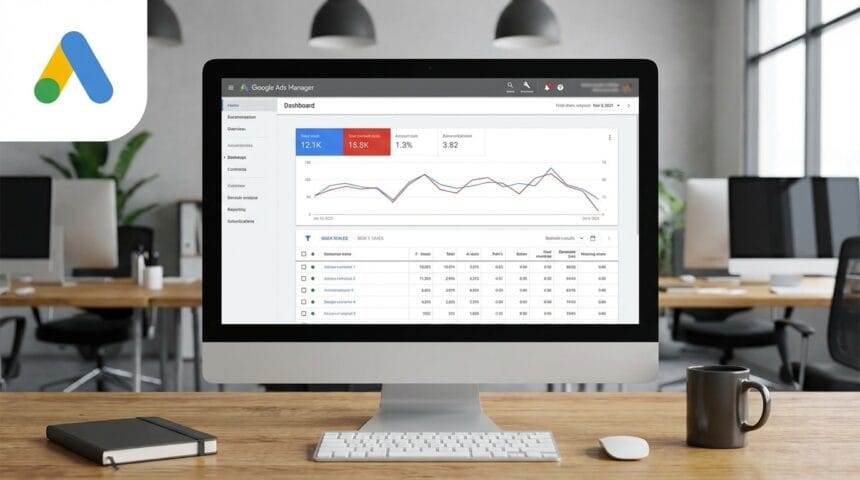
What saves the day is a Google Ads Manager—what used to be called an MCC. It’s not a fancy upgrade; it’s simply a different way of working. One dashboard. One login. Full visibility across every account, whether that’s two or fifty.
So What Is This Thing, Really?
A Google Ads Manager Account is like a control tower. All the individual ad accounts—clients, subsidiaries, different business units—become planes on a runway. From the tower, everything is visible. No need to run between cockpits.
The technical name is MCC (My Client Center), but most people just call it the manager account. What matters is what it does: it lets someone view, manage, and report on multiple Google Ads accounts without ever logging in and out.
For anyone running ads at scale, this isn’t a nice‑to‑have. It’s the only way to stay sane.
What It Actually Does (Beyond the Obvious)
Sure, it keeps passwords in one place. But the real value shows up in the details.
A single view of everything. All accounts, side by side. Performance metrics, budgets, alerts—one screen.
Reporting that doesn’t require a spreadsheet marathon. Pull data from ten, twenty, or fifty accounts into one report without copying and pasting.
Access that can be fine‑tuned. One person can have full admin on five accounts, but only view access on another three. Billing can be locked down separately.
Bulk actions that actually work. Need to add the same negative keyword list to fifteen accounts? Takes about thirty seconds from the manager level.
None of this is revolutionary on its own, but together it changes how Google Ads campaign management feels. Less friction. More time spent on strategy.
Why Bother Switching?
Agencies and freelancers make the switch because the old way stops working. But even in‑house teams managing multiple locations or brands hit the same wall.
Time Adds Up
Switching between accounts takes seconds. Doing it thirty times a day adds up to hours a week. Hours that could be spent actually improving campaigns, not just checking on them. A Google Ads Manager eliminates that switching tax entirely.
Growth Without Adding Headcount
Handling five accounts manually is doable. At ten, things start slipping. At twenty, it’s unsustainable. The manager account structure allows scaling to dozens of accounts without needing to hire someone just to wrangle logins.
Cleaner Separation and Safety
When an agency links a client’s account through the manager account, the client owns their own account. They can revoke access at any time. Conversely, if an employee leaves, removing their access from the manager account cuts them off from every linked account instantly. No scrambling to change passwords on a dozen different logins.
Getting Started Without the Headaches
Setting up a Google Ads Manager Account takes about five minutes. But doing it in a way that doesn’t create problems later takes a bit more thought.
Create it with a corporate email. Using yourname@gmail.com is a risk. If that personal account ever gets locked or the person leaves, access to every account goes with it. Use something like ads-manager@company.com so the account outlasts any individual.
Link existing accounts the right way. Sending a link request is fine. But when creating new accounts for clients, do it from inside the manager account. That way the account is automatically linked from day one—no waiting for approvals.
Label everything, but keep it simple. Labels are what keep the dashboard usable when the account list grows. But over‑labeling backfires. A few broad categories—high spend, e‑commerce, lead gen, testing—are usually enough. If it takes more than a few seconds to figure out where a new account belongs, the system is already too complex.
Set alerts, don’t live in the dashboard. The manager account can send email notifications when budgets are exceeded or conversions drop. That’s better than refreshing the dashboard constantly.
Who Actually Needs This?
Not every advertiser needs a manager account. A small business running one or two campaigns probably doesn’t. But for anyone in these situations, it’s essential:
Agencies, obviously. Managing client accounts without an MCC is like running a moving company without a truck.
Freelancers with more than two or three clients. It looks more professional and protects access.
Franchises or multi‑location businesses. A brand with dozens of locations can monitor whether local campaigns are staying on‑brand and not bidding against each other.
E‑commerce brands selling in multiple countries. Different currencies, different languages, often different accounts. The manager account pulls everything together.
Making the Most of It
Having the tool is one thing. Using it to actually improve results is another.
Use the consolidated recommendations page. It shows suggestions across all accounts in one place. Not all of them should be applied—Google loves suggesting budget increases—but it’s a fast way to spot accounts that are missing obvious assets like sitelinks or callouts.
Keep conversion tracking consistent. One of the biggest messes in Google Ads campaign management happens when every account tracks conversions differently. Using manager‑level conversion snippets ensures consistency across the board.
Run a weekly “where’s the waste” scan. Sort accounts by spend, then look at click‑through rate. High spend with low CTR usually means ad copy or audience targeting needs attention. Catching it early prevents weeks of wasted budget.
What Usually Goes Wrong
Even experienced users make mistakes with the manager account. A few come up over and over.
Using personal email as the login. Already mentioned, but worth repeating. The manager account becomes the keys to the kingdom. Those keys should belong to the business, not a person.
Accepting “email only” access. When linking a client account, always request administrative access. “Email only” means certain settings—especially billing—can’t be changed. That becomes a problem when a credit card expires.
Going label‑crazy. Some people create dozens of hyper‑specific labels. The result is a dashboard that’s visually overwhelming and functionally useless. Simplicity wins.
Wrapping Up
Managing Google Ads doesn’t have to mean a browser full of tabs and a constant fear of missing something. A Google Ads Manager (MCC) turns chaos into something manageable—whether that’s five accounts or fifty.
The setup is free and takes minutes. The payoff comes every single day after that: less time spent wrangling logins, more time spent on the work that actually moves the needle.
If Google Ads campaign management currently feels like a drag, the path forward is simple. Create the manager account. Link the accounts. Set up a few labels and alerts. And then breathe a little easier.
For those who’d rather hand off the entire operation, there are options—whether that’s a full‑service agency or just someone to audit the current setup. The right help makes all the difference.